Multiple usernames per email log in guide

To locate your username(s)
false
Go to fedex.com: Select Sign Up/Log In → Forgot User ID or Password → Retrieve User ID. Enter your email address to receive an email listing all user IDs associated with that email.
Step 1 of 5 - Enter the shared email address
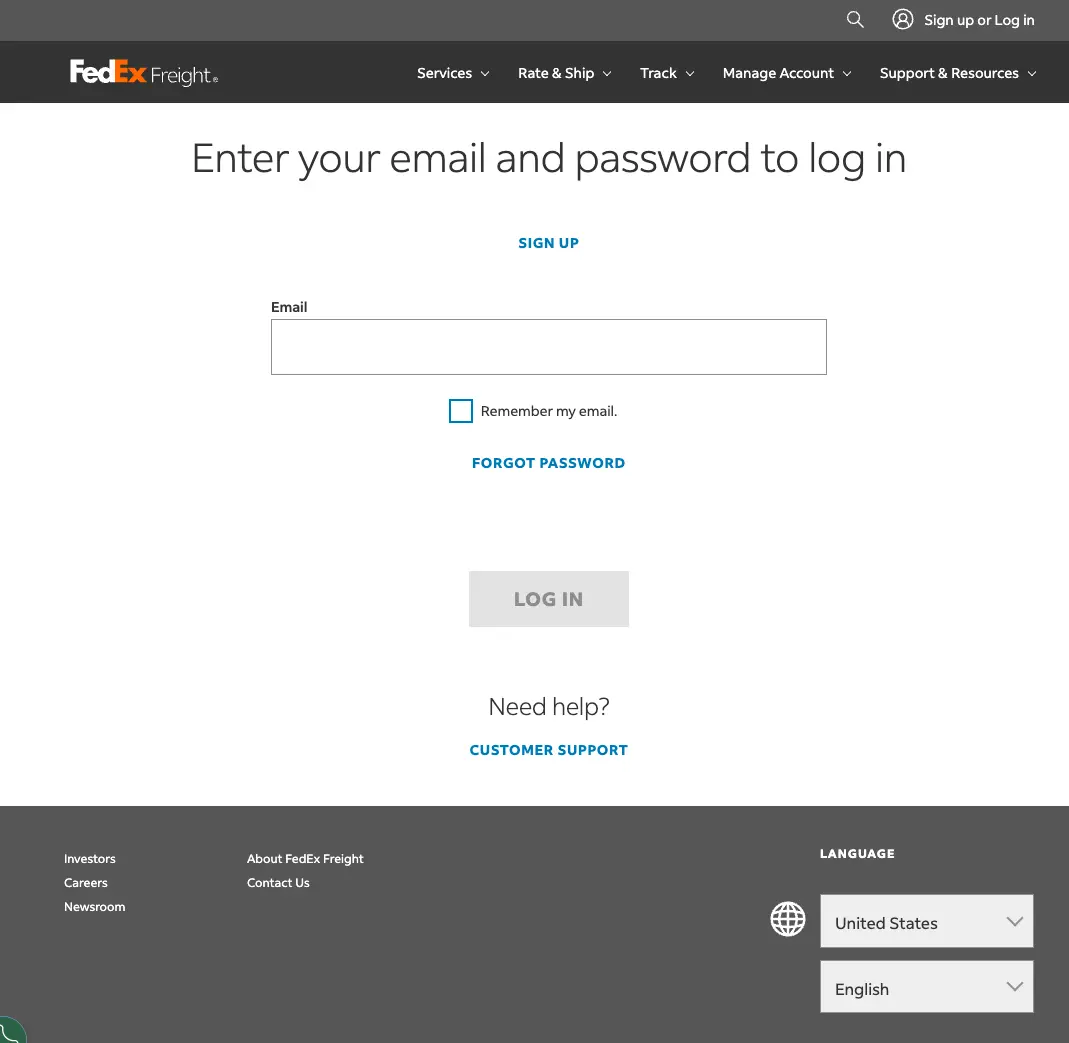
Step 2 of 5 - Verify your identity by following the instructions on the screen
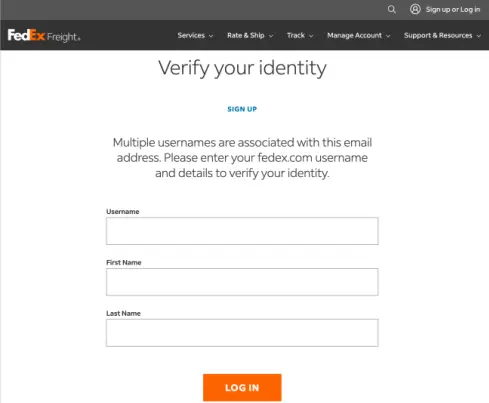
Claim a shared email address
false
If someone has already claimed this email address, proceed to Shared email already claimed by another user
Step 3 of 5 - Select "Keep my existing email address"
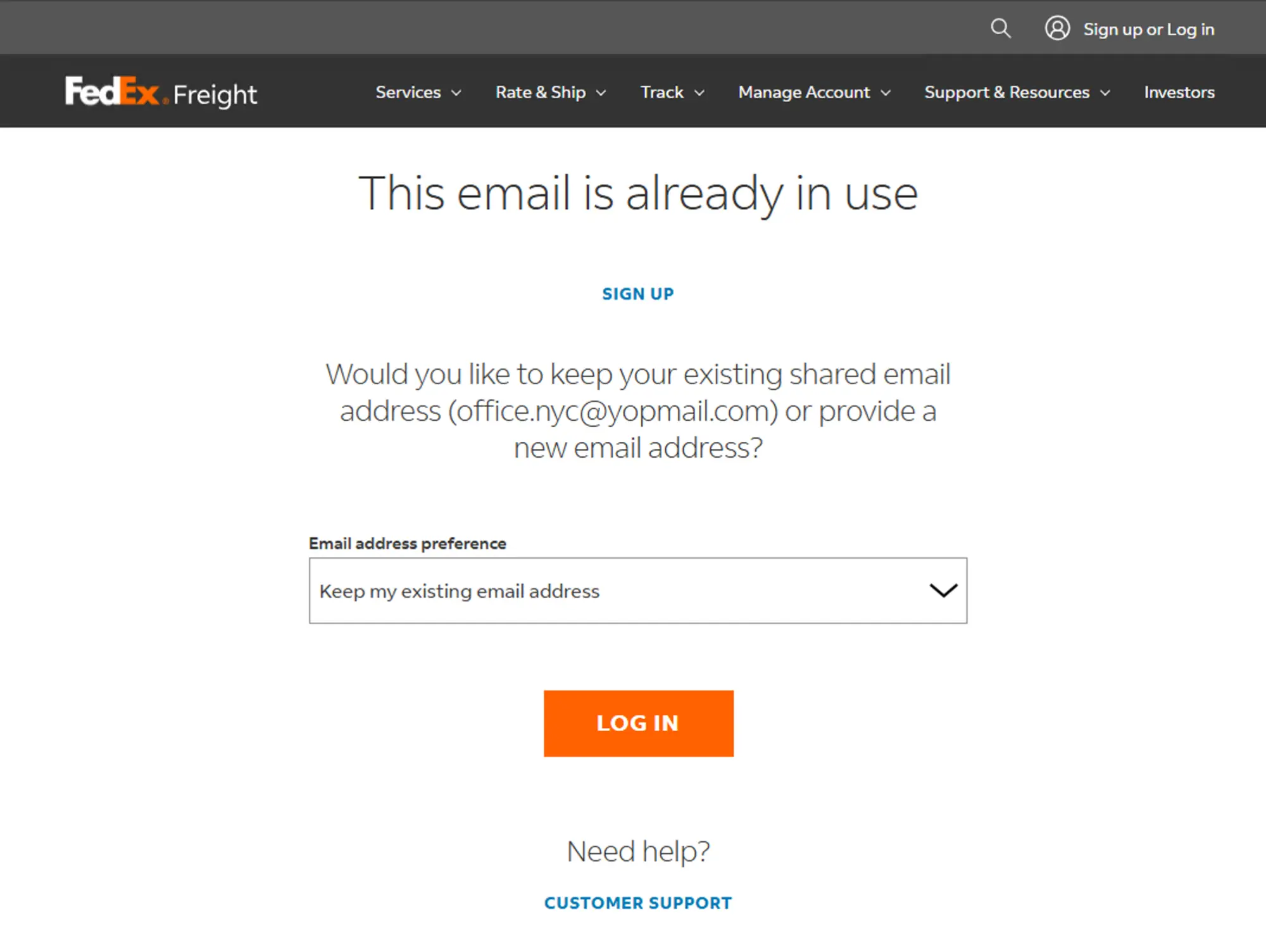
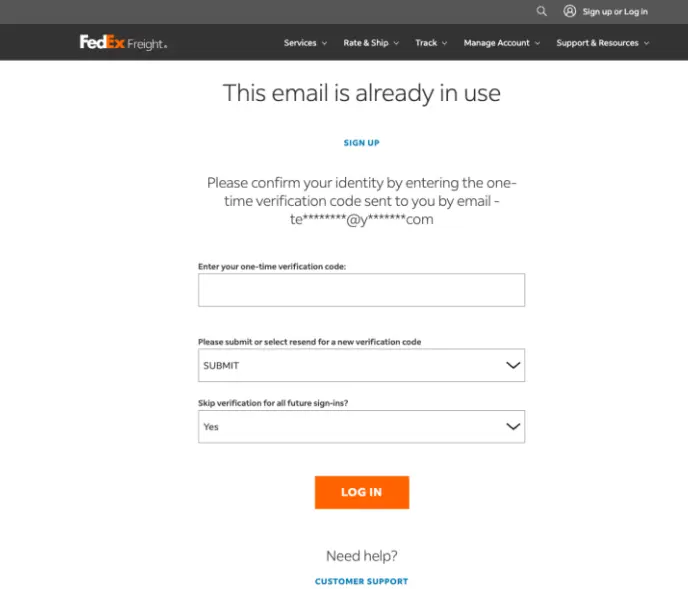
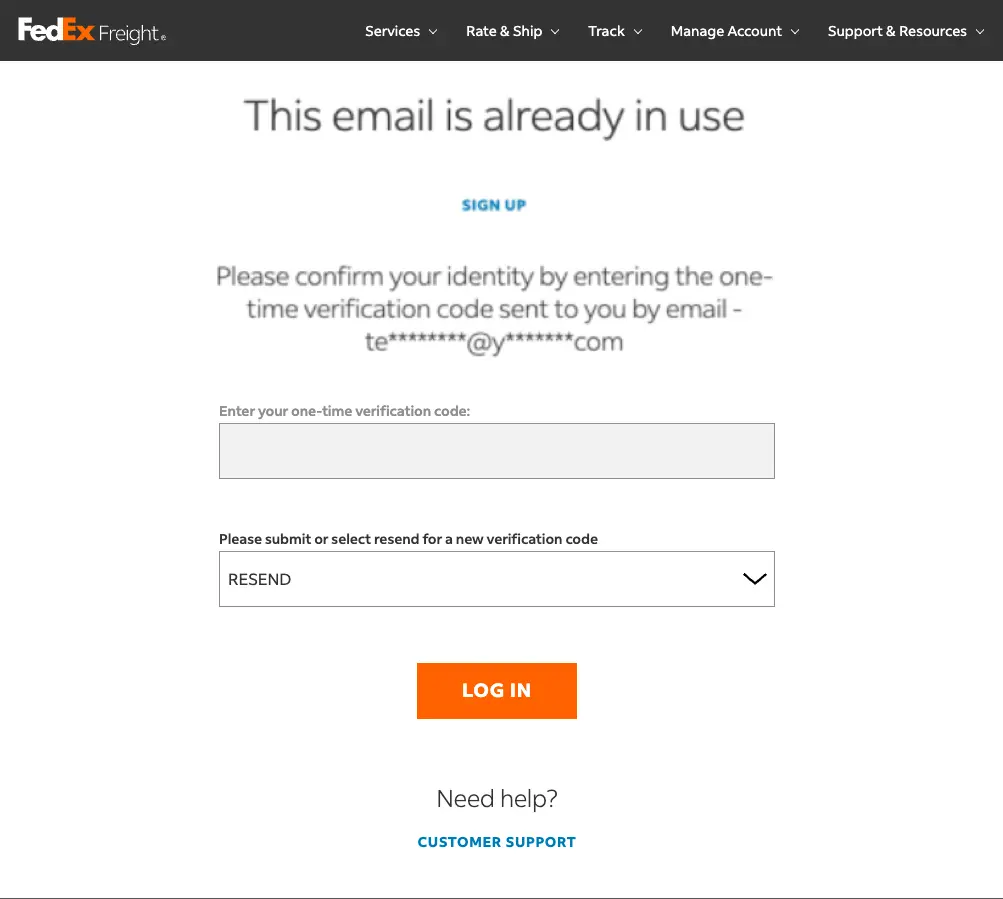
Step 4 of 5 - Enter the one-time verification code we sent you
false
The 6-digit code is valid for a limited time. If it expires, request a new one by selecting RESEND from the Select options drop down.
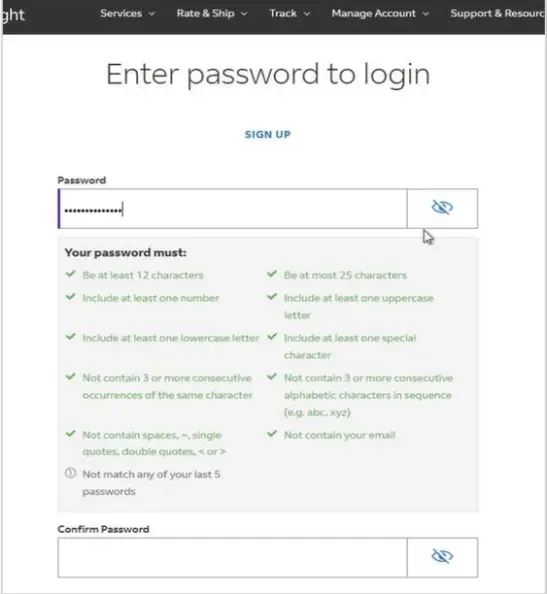
Step 5 of 5 - Create and re-enter a new password and click 'Log In'
false
Choose a strong password and confirm it by typing it a second time.
false
You will be logged out automatically.
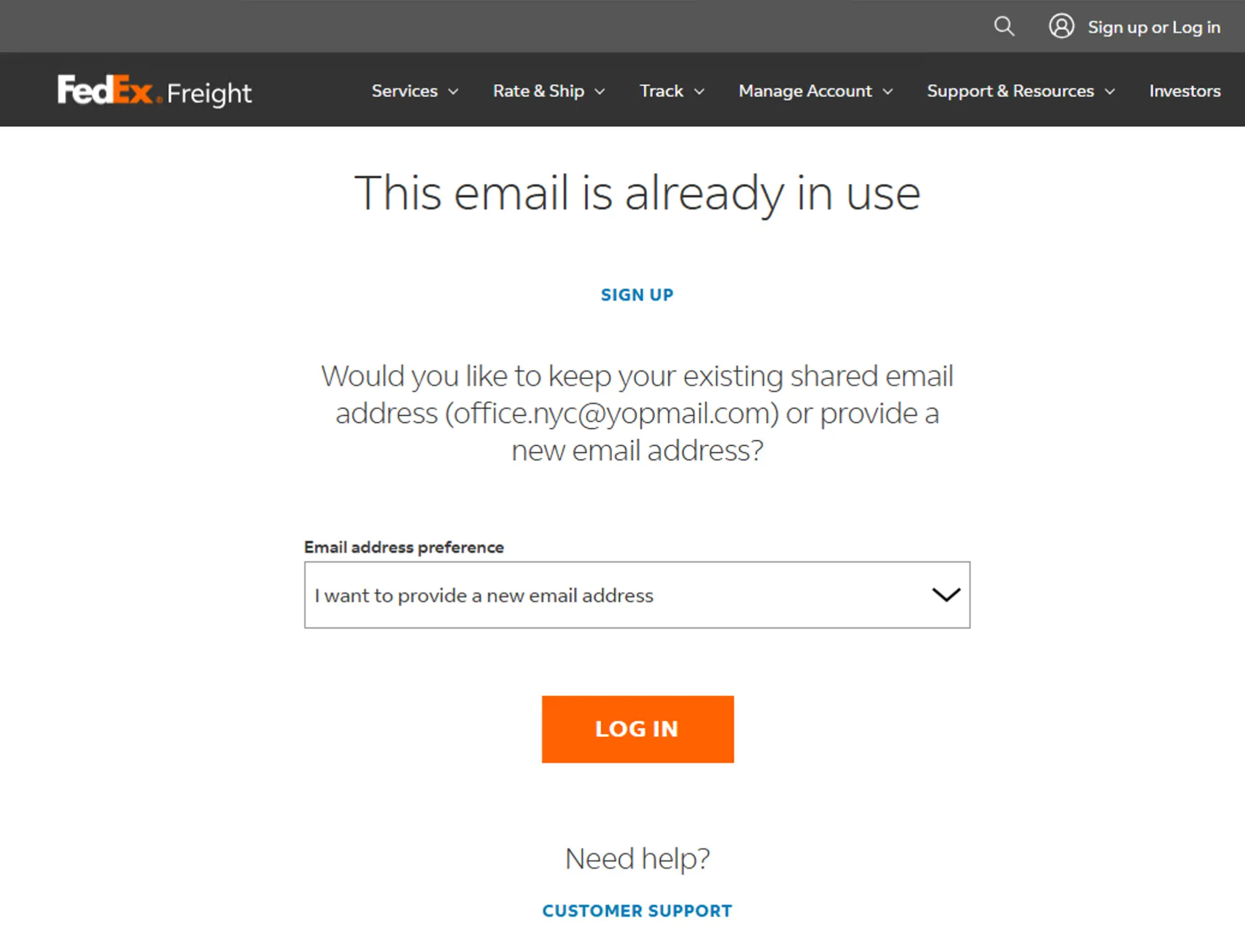
Shared email already claimed by another user
Step 3 of 5 - Select "Provide a new email address"
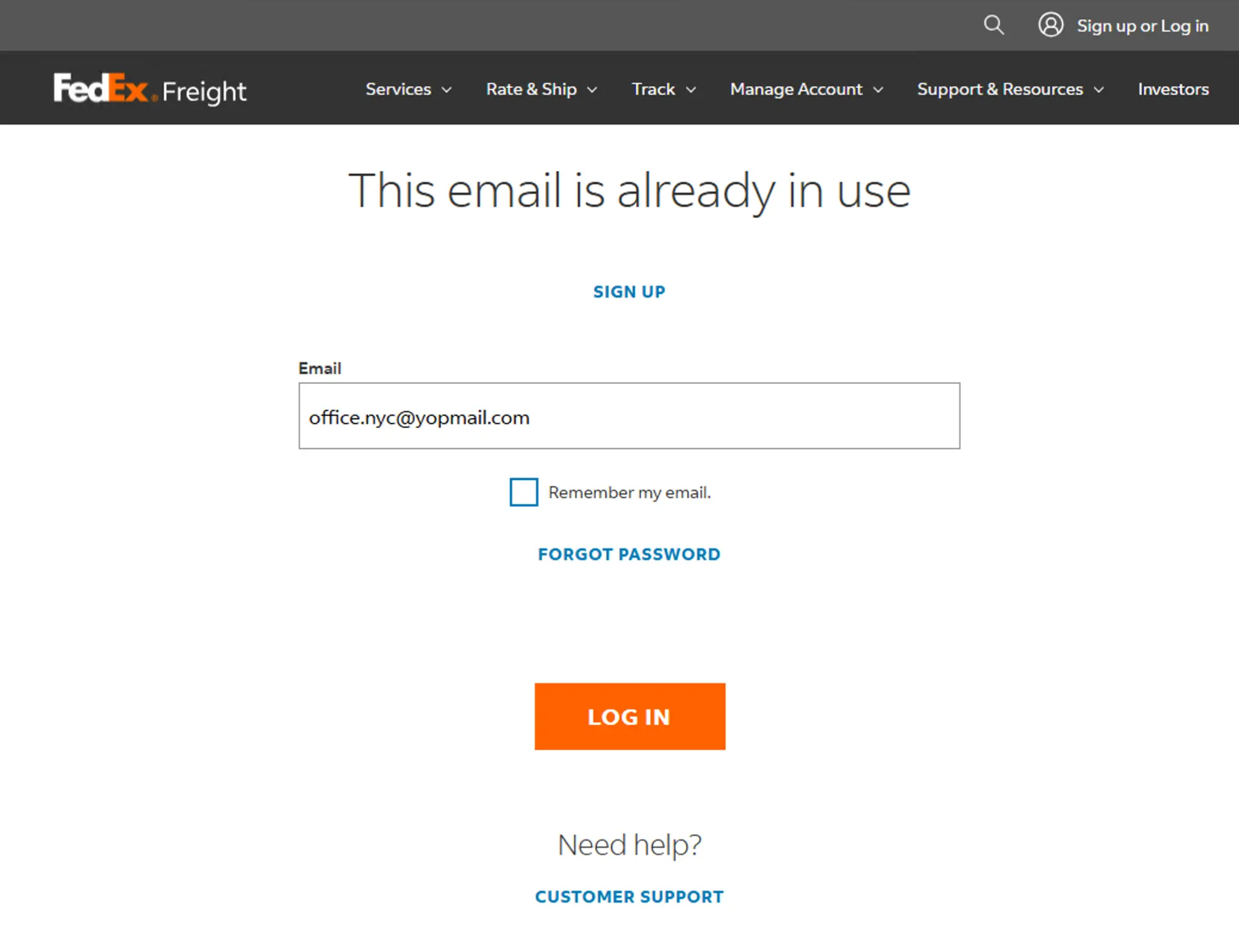
Step 3 of 5 - Enter a new unique email address
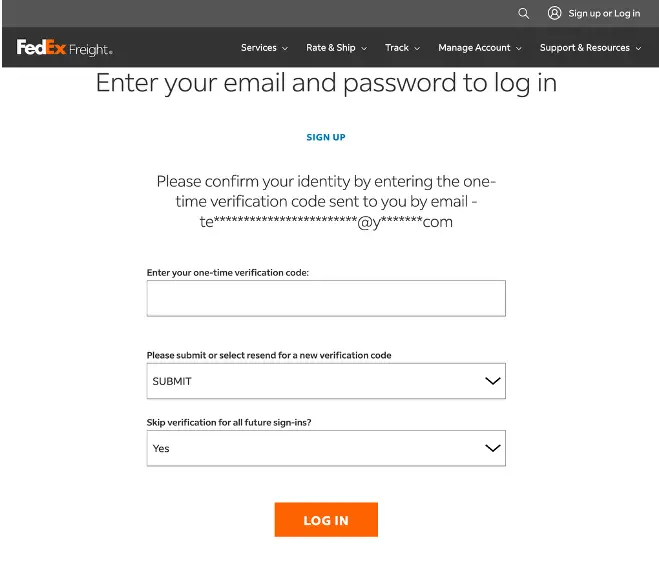
Step 4 of 5 - Enter the one-time verification code we sent you
false
The 6-digit code is valid for a limited time. If it expires, request a new one by selecting RESEND from the Select options drop down.
Step 5 of 5 - Create and re-enter a new password and click 'Log In'
false
Choose a strong password and confirm it by typing it a second time.
false
You will be logged out automatically.
false
Need more help? Contact Customer Support at 1.800.435.7949, Monday-Friday, 7am-8pm CT.